Nivo Slider Installation
image:

Body:
Nivo Slider provides an easy and eye-catching way to showcase featured content. Nivo Slider gives administrators three important tools:
- A simple method of adding slides to the slideshow.
- An administration interface to configure slideshow settings.
- Simple slider positioning using the Drupal block system.
Drupal core modules: Block
Contributed modules: Install Libraries APImodule
Installation
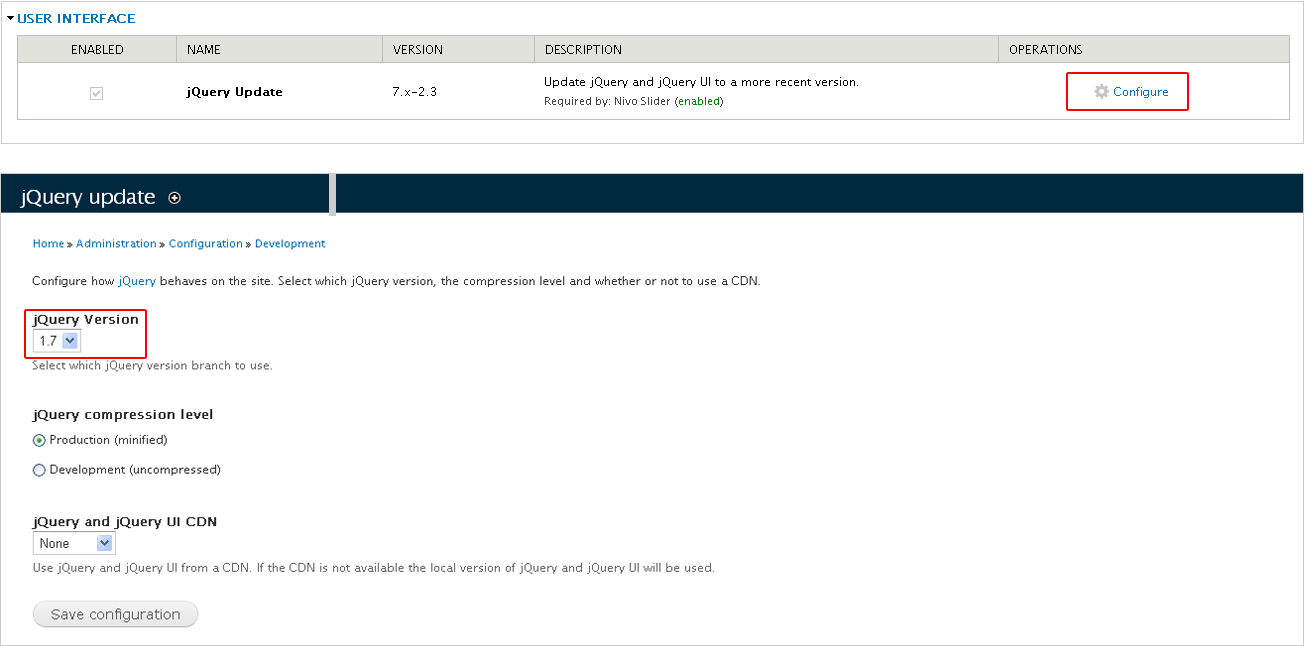
1. Download the latest version of the Nivo Slider jQuery plugin and extract it to sites/all/libraries or sites/sitename/libraries as you require. The extracted folder must be named nivo-slider.
2. Copy the Nivo Slider module to sites/all/modules or sites/sitename/modules.
3. Enable Nivo Slider module.
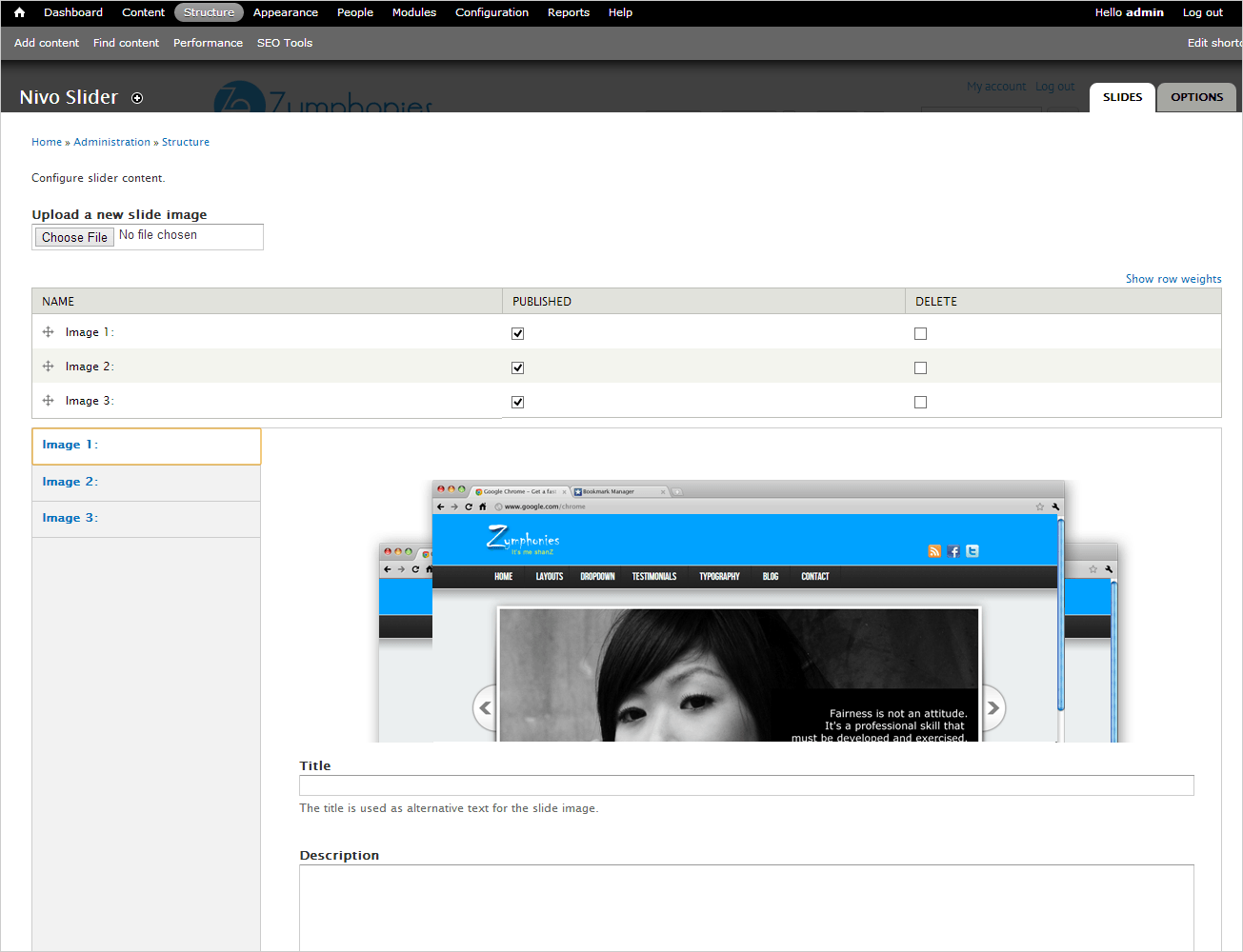
4: Add slides to the slideshow /admin/structure/nivo-slider.
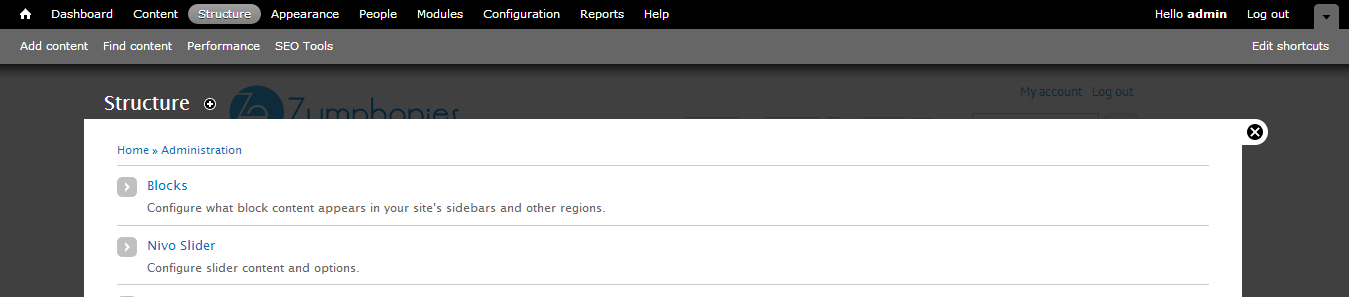
5. Add block Nivo Slider to region 'Slideshow' in 'admin/structure/block.

Comments
Anonymous (not verified)
Fri, 01/18/2013 - 09:06
Permalink
very nice colors & theme.
I really like your blog.. very nice colors & theme. Did you create this website yourself or did you hire someone to do it for you? Plz reply as I'm looking to construct my own blog and would like to find out where u got this from. many thanks
peter556 (not verified)
Tue, 01/29/2013 - 08:21
Permalink
great article
I simply advise the to say I 'm initiate through to weblog and after this redundant darling true website. A good number of prepared Im planing to bookmark on to the website . You unquestionably have outstriping well written written content .
Jules Schmuker (not verified)
Thu, 01/31/2013 - 20:37
Permalink
Nivo Slider is upscaling images
Nivo Slider is upscaling my images with Professional Pro theme. I have tried modifying the "image module" effects, but this doesn't help. They are supposed to be only 700 pixels wide by 428 pixels tall, but it is stretching them (to scale) to about 936 by 572.
Any ideas on how to change this so that it does not stretch?
admin
Mon, 02/11/2013 - 10:43
Permalink
You can crop image by using
You can crop image by using image editing tool.
henry (not verified)
Thu, 02/07/2013 - 19:48
Permalink
images can not display!
I followed the Nivo Slider Installation Tutorial, after the step 5, the region Slidershow always only shows the loading.gif in a empty block! No images, no animation!
Then I tried to install Drupal 7 and Business Enterprises theme both in local server and remote host, still not work!
admin
Mon, 02/11/2013 - 10:40
Permalink
its may happen because of
its may happen because of image size. Please try with different image.
jonah (not verified)
Thu, 02/21/2013 - 08:32
Permalink
images uploaded not sliding
Thanks for the blog,
I have a little challenge ,i am new to drupal, trying to develop a site , i have followed all the instructions of installing nivo slider but when i go to display on home , images don't change/slide..ive tried to configure everything .
some one to help me out , need to do this project faster faster.
Thanks guys much.
king (not verified)
Sat, 02/23/2013 - 10:08
Permalink
all my images are just displaying
all my images are just displaying...now jquery effect is taking place at my slideshow block
Serken (not verified)
Tue, 03/12/2013 - 21:38
Permalink
BqrOpGCsLocpwhBidt
Fantastic! Thank you for sharing this, I've been trynig to work out how to add the bullets.If it helps anyone, when I moved the bullets so that they are over the picture I had to add z-index: 99; to the .nivo-controlNav css element, otherwise the next picture was displayed on top of the bullets.
Rose Mckoan (not verified)
Tue, 04/02/2013 - 06:07
Permalink
You made some decent points
You made some decent points there. I looked on the web for more info about the issue and found most people will go along with your views on this site.
James (not verified)
Tue, 04/23/2013 - 23:43
Permalink
No Animation
I've followed all the steps involved but all the images just display on the front page, no animation. Please is there anything I'm living out? Thanks and regards...
admin
Wed, 05/01/2013 - 09:13
Permalink
Theme customization
Hai, All zymphonies themes slideshow will display only in home page. because i haved added contition in code it should show only in front page. if you want to display in all page you have to customize theme code.
Add new comment